How Deadly Days: Roadtrip co-op works: couch split-screen, Remote Play Together, controller needs, cross-backpack synergies and shared-run roles.
Deadly Days Roadtrip Co-Op Guide: Local, Remote, Synergy
Co-op in Deadly Days: Roadtrip is not a second player following you around. It is a second backpack. That sounds like a small distinction until you realise a support item in your partner's bag can buff a weapon in yours, and the two grids can be arranged to touch. The mode went live with the 0.22 update and shipped in the 1.0 build, and it changes build construction more than it changes combat.
Official source: Deadly Days: Roadtrip 0.22 co-op update
More sources: Pixelsplit — Deadly Days: Roadtrip and Steam news hub.
How to start a co-op run
There are two routes:
- Couch co-op. Local split-screen on one machine. Each player needs an input device; one player needs a controller.
- Remote Play Together. Steam streams the second player in over the network. The guest does not need to own the game, and the host's machine runs both characters.
Both are supported by the same mode. One participant must use a controller — a keyboard-and-mouse pair is not enough for two players on one PC. Test the controller before you start a run; the setup screen is not the place to discover a dead battery.
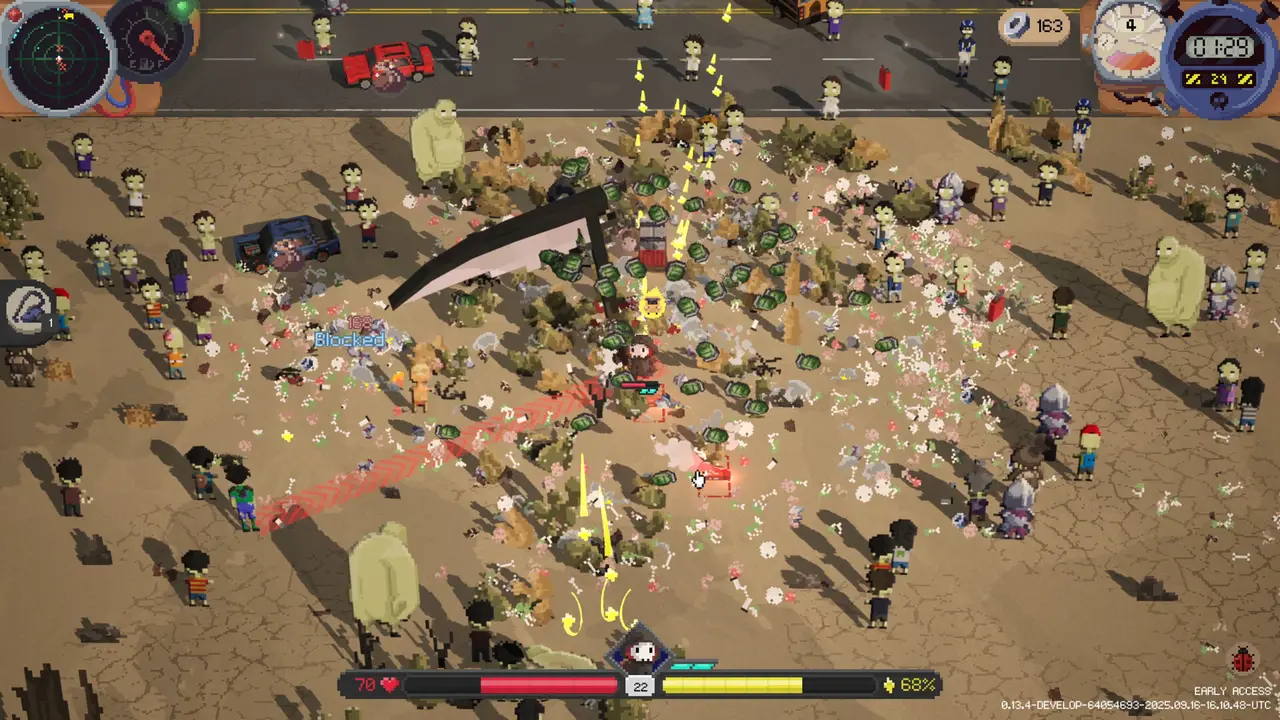
The mechanics that only exist in co-op
Cross-backpack synergies. Selector items can mark items in your partner's backpack. A weapon in your grid can therefore receive a buff from a support item in theirs, provided the grids touch and the selector reaches. This is the reason to coordinate layouts instead of building two solo bags.
Extra columns. Each player's backpack gets one additional unlockable column in co-op. The grids can grow wider and can touch. The game warns you when a co-op backpack cannot grow wider, which is your cue to rearrange rather than keep buying space.
Touching grids. When the two backpacks are adjacent, items on the seam interact. Put multipliers on the seam and weapons one cell inside, so the multipliers reach both sides.
Split stats. The end-of-run screen splits damage, kills, and other stats per player. Values that cannot be attributed to one player show as team totals, and the lower of two comparable values is dimmed. It is a diagnostic, not a scoreboard — a player who spent the run healing has a low damage number and a high contribution.
Roles that actually help
Two players with the same build compete for the same loot. Two players with complementary builds multiply each other. The clean split is:
Carry. One player builds the boss-killer: a single weapon with a full ring of multipliers, plus a dash or escape. This player takes the high-rarity weapons.
Enabler. One player builds the support grid: crit, rate of fire, on-hit triggers, crowd control, healing. This player takes the items the carry cannot fit, and marks items across the seam.
The enabler is not the lesser role. A carry with no multiplier ring does half the damage of a carry with one, and the enabler is the reason the ring exists. If both players insist on carrying, both builds end up mediocre.
Loot etiquette
Co-op loot is shared in the sense that both players can see it, but the bag space is not. Three rules prevent arguments:
- Call the drop before you take it. "Crit item, mine" is faster than a post-run argument.
- Weapons go to the carry first. The enabler takes support items unless the weapon changes the carry's damage type.
- Duplicates go to whoever can merge them. A duplicate that merges in one bag is worth more than a duplicate that sits in the other.
The backpack guide explains why space is a build constraint, not a convenience.
The single best co-op layout trick: line both grids up so the seam runs through your support items. A crit item on the seam can buff a weapon on either side, and the two extra columns give you room to do it without sacrificing the carry's ring.
Difficulty and pacing
Enemy counts scale with the second player, and the night wave is denser. The compensation is a second backpack, cross-synergies, and two sources of crowd control. In practice co-op is easier for players who communicate and harder for players who split up.
Pacing rules that work:
- Move as a pair. A split party is two half-builds in two bad fights.
- One person owns the map. The host calls the route; the guest calls the loot. Two people navigating is one person walking into a wall.
- Extract together. The bus does not leave one player behind, but a downed player at the far end of the map turns a clean exit into a rescue.
Co-op and the endgame
The Headquarter Run and the Weekly Challenge both support co-op. The weekly is a fixed seed for everyone, so a coordinated pair can plan the route before the first stop. The HQ assault is multi-stage and long; bring a carry who can burst a boss and an enabler who can keep the carry alive through the parking lot.
If you are farming duct tape, remember that the weekly always runs at MKing Response Level 5, and boss drops pay extra tape at levels 3 and 5. Co-op does not change the drop table, but two players clear the boss faster.
Common co-op mistakes
The first is treating the second backpack as storage. A backpack full of items the other player needs is not a build; it is a delay. The second is both players buying damage at the same shop, which leaves the seam without multipliers. The third is splitting up to loot faster: two half-builds in two parts of the map generate two separate hordes and no shared cover. Stay close enough that a dash can bring you back into the other player's screen, and let the enabler call the retreat when the night wave starts.
FAQ
Does the second player need to own the game? No. Remote Play Together streams the guest in, and couch co-op is local.
Can both players use keyboard and mouse? No. At least one player needs a controller.
Is co-op cross-platform? There is no console version at launch, so co-op is PC-to-PC through Steam.
Do unlocks carry to both players? Each player's profile keeps its own unlocks. The run is shared; the meta progression is not.
Related
More Deadly Days: Roadtrip Guides
Deadly Days: Roadtrip codes checked for the 1.0 build: how to redeem, which strings are confirmed, which are community reports, and the scams to avoid.
How crafting works in Deadly Days: Roadtrip: duplicate merging, confirmed recipes, the five craft-only 1.0 weapons, and when to hammer an item.
What duct tape unlocks in Deadly Days: Roadtrip, the reliable sources (bosses, reaper, achievements), and the order worth spending it in.
How Endless Mode scales in Deadly Days: Roadtrip, which builds survive the curve, and the item priorities that stop a finished run from falling over.
The extraction decision in Deadly Days: Roadtrip: reading the fuel gauge, threat level, dusk timing, reaper risk, and the math of one more crate.
A working list of Deadly Days: Roadtrip items: support, trigger, mobility, sustain, cursed merchant goods and character items, with what each one does.
How legendary loot works in Deadly Days: Roadtrip: rarity, merging, glowing crates, the radar, boss drops, and the fastest ways to farm high-rarity gear.
Every Deadly Days: Roadtrip map system explained: biome enemies, fuel icons, shops, event stops, Labyrinth, Pumpkin Patch, and route planning.